How To add a collaborator on Shopify?
How To add a collaborator on Shopify?
To add a collaborator on Shopify, we need 4-digit security code and the store’s shopify url (not your domain).
You need to generate a 4-digit security code from your admin settings and share it with your developer or partner so they can request access.
Step 1: Log in to your Shopify store admin page.
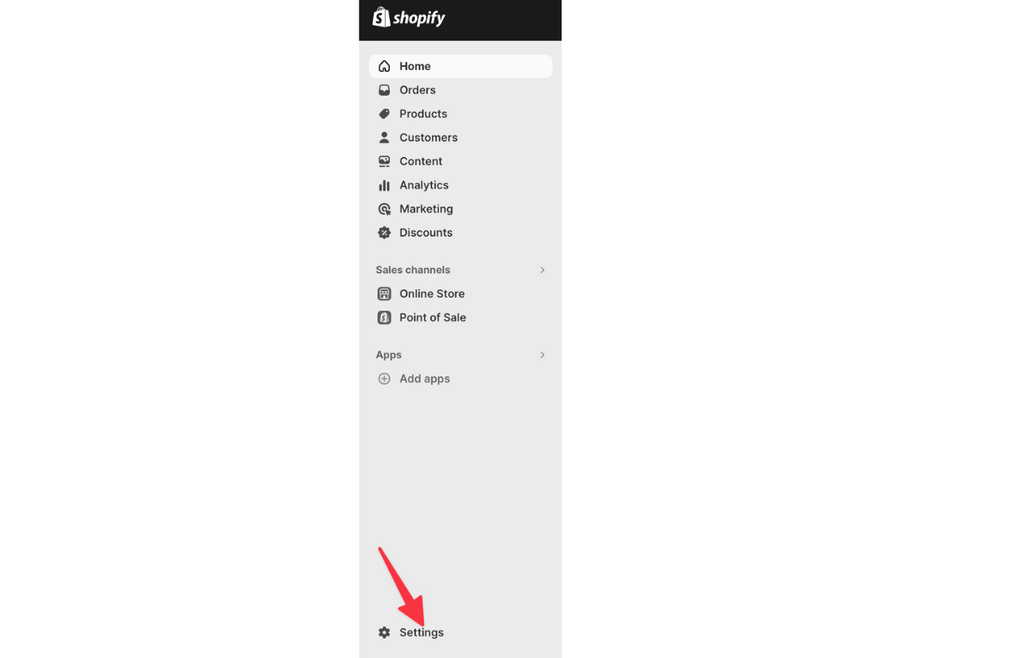
Step 2: Click on “Settings” at the bottom of the menu on the left.
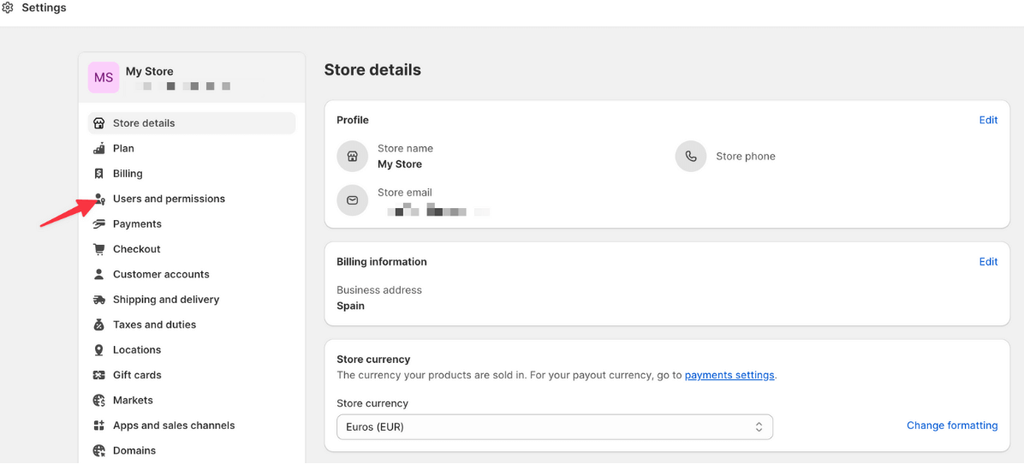
Step 3: Select “Users and permissions.”
Step 4: Select “Security “
Step 5: Select “Only people with a collaborator request code can send a collaborator request.”
Step 6: Click “Generate new code.” Send this 4 digit numbers to us.
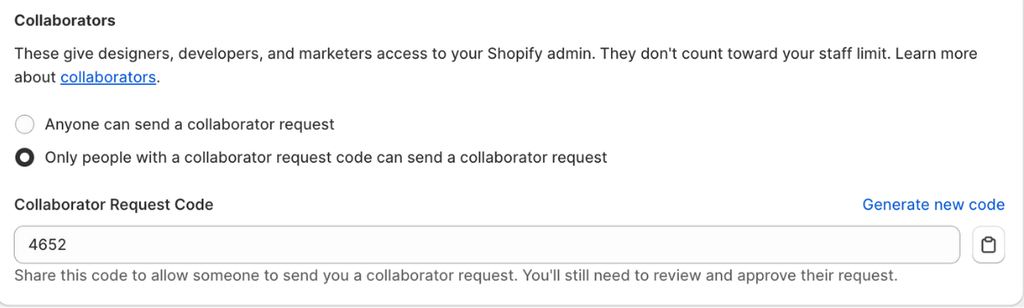
❗ Important: We meed to ask you for this code before you can send you a Shopify collaborator request.
Step 7: Go to Domain in the “setting”, send this shopify URL (your Shopify Store ID) to us.

Step 8: We fill the store URL and Collarator request code and ask “request access to the store” in our shopify partner platform,
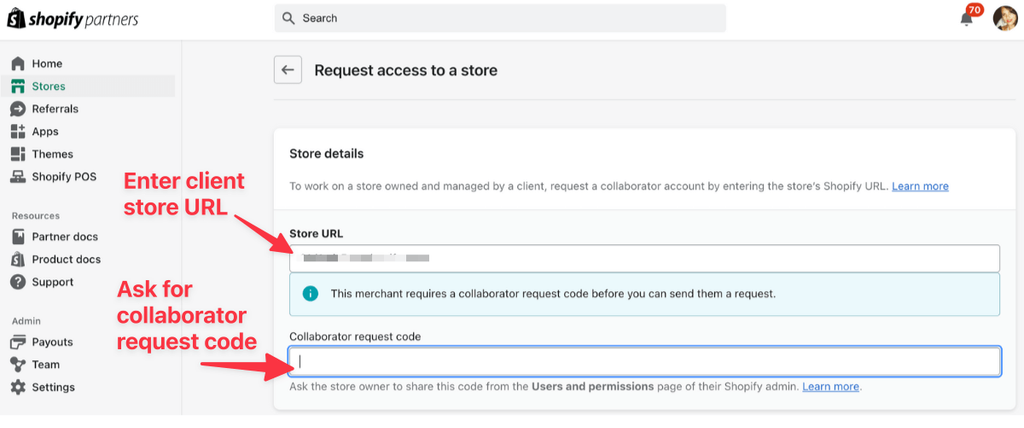
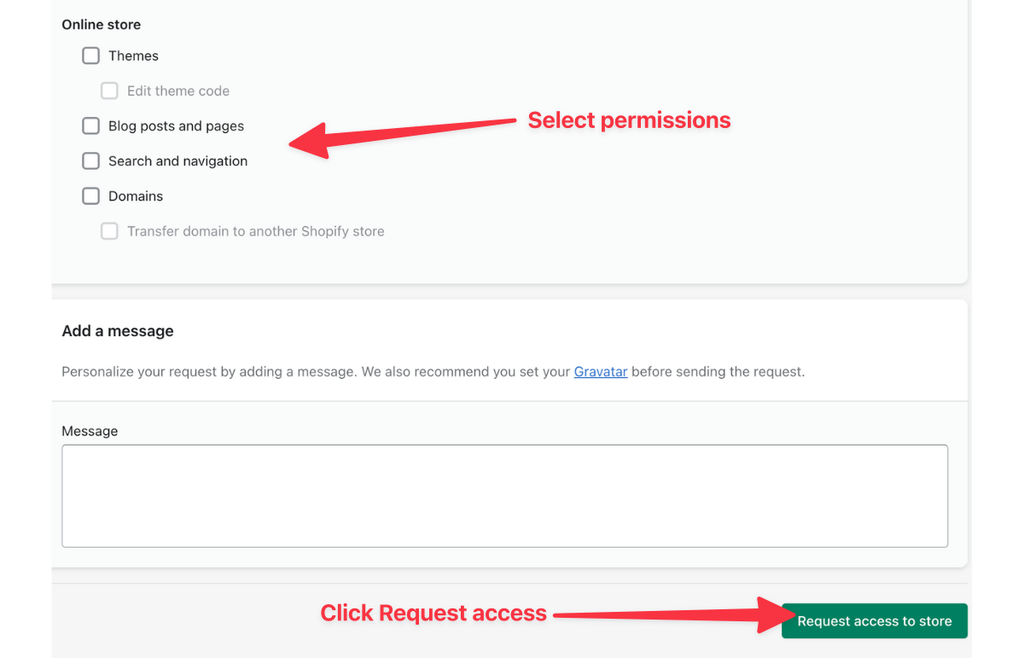
Step 9: You see the request in your shopify in the users and permission and approves the request. Then we could access your store.
Step 10: Search “dianxiaomi” in shopify app and install it.
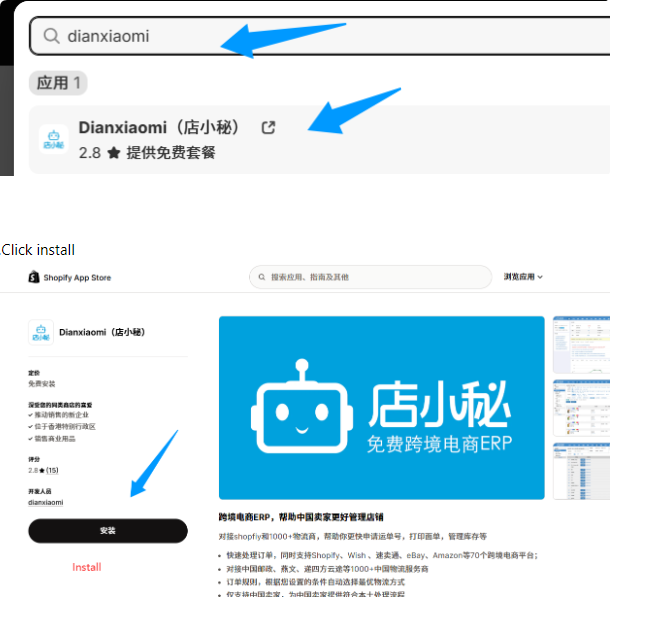
Step 11: Go to the “user and permission” : Authorise our shopify collaborator to use “dianxiaomi” . Then we could handle the order and synce the tracking number automatically.
Reference help link: https://help.shopify.com/en/manual/your-account/users/security/collaborator-accounts